-
Tell him about her
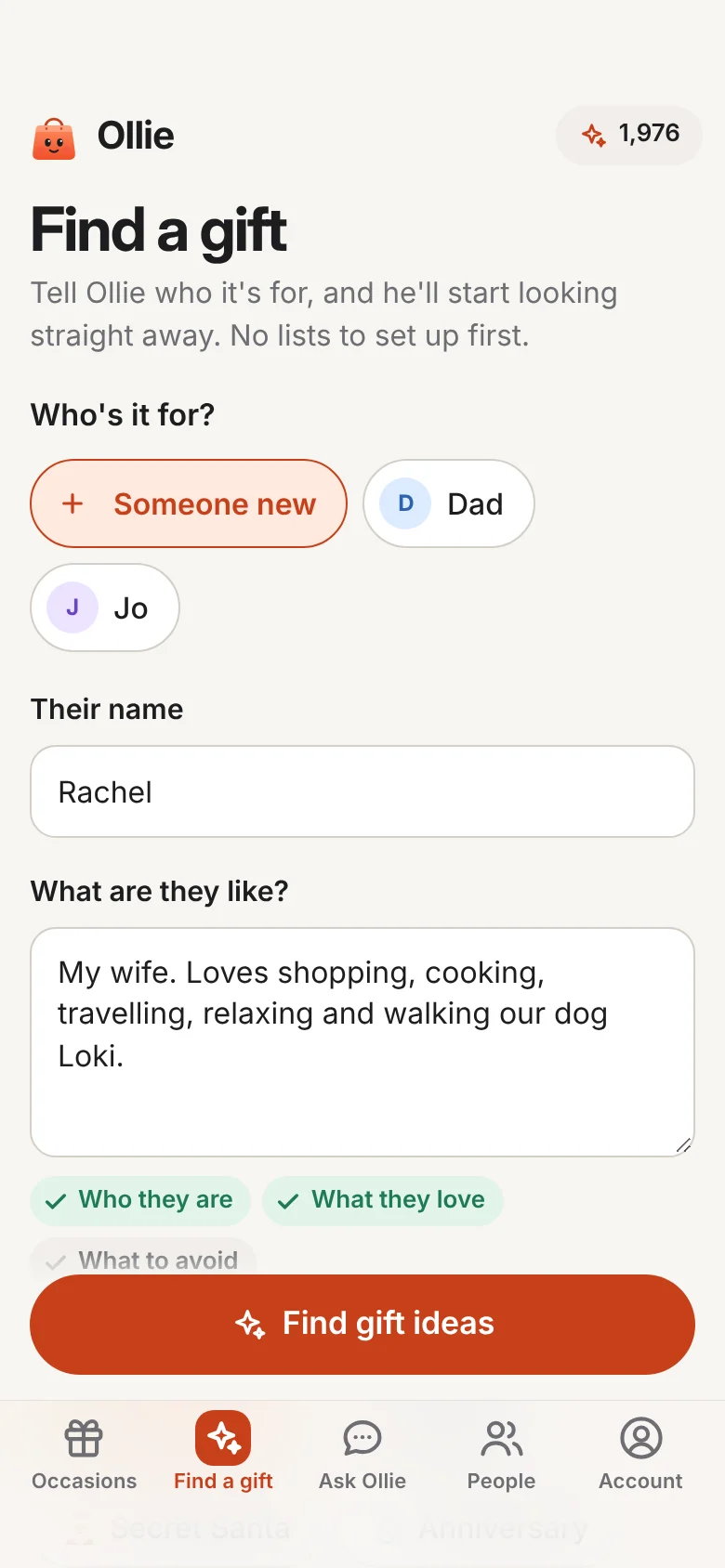
Tap Find a gift and say who it's for. A sentence or two is plenty: who she is and what she loves. Ollie ticks off what he's got, and nudges you for anything that would help, like what to avoid.
-
He thinks first, then shops
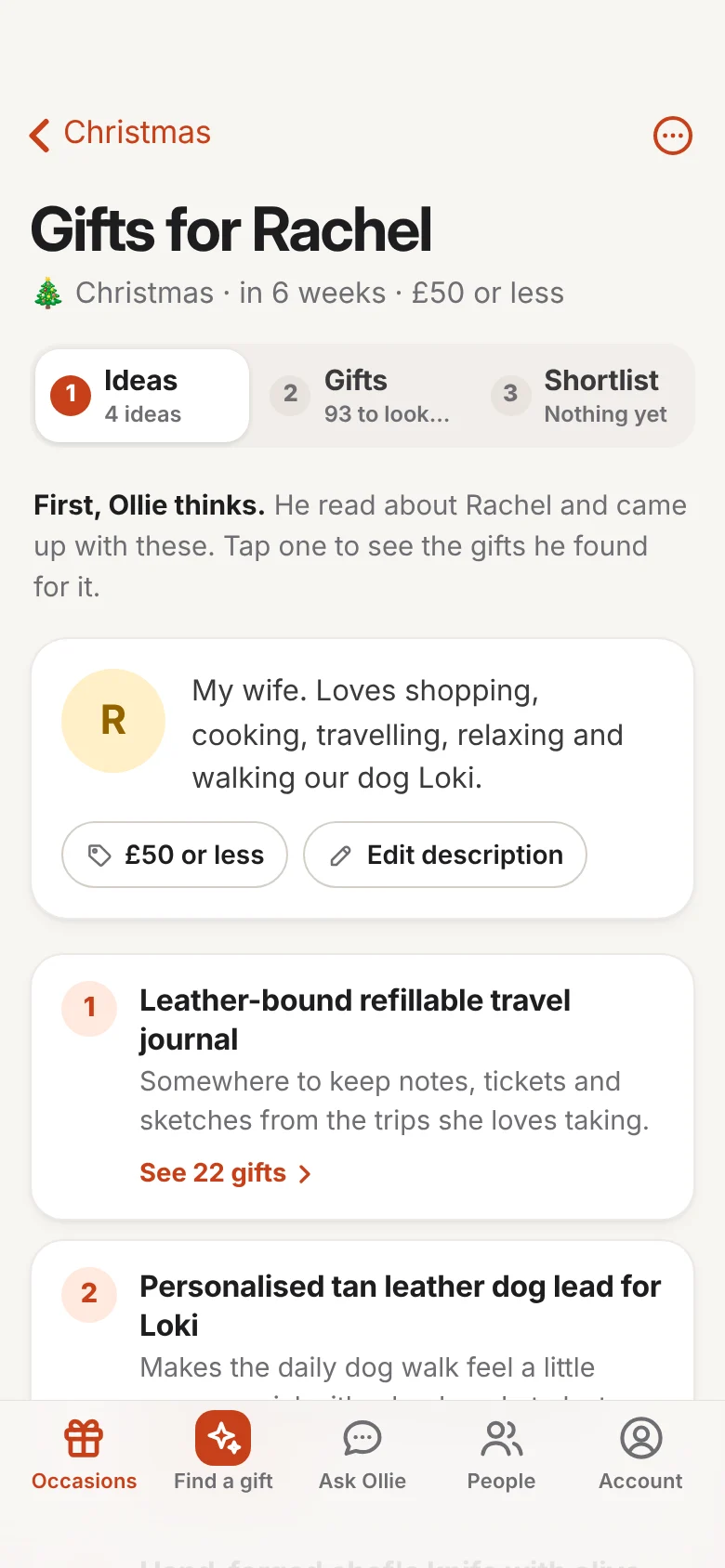
Step 1, Ideas. Ollie came up with four kinds of present she'd love, from a leather travel journal to a lead for Loki, then went through 93 in-stock gifts from independent shops, all under £50.
-
He picks the best, and says why
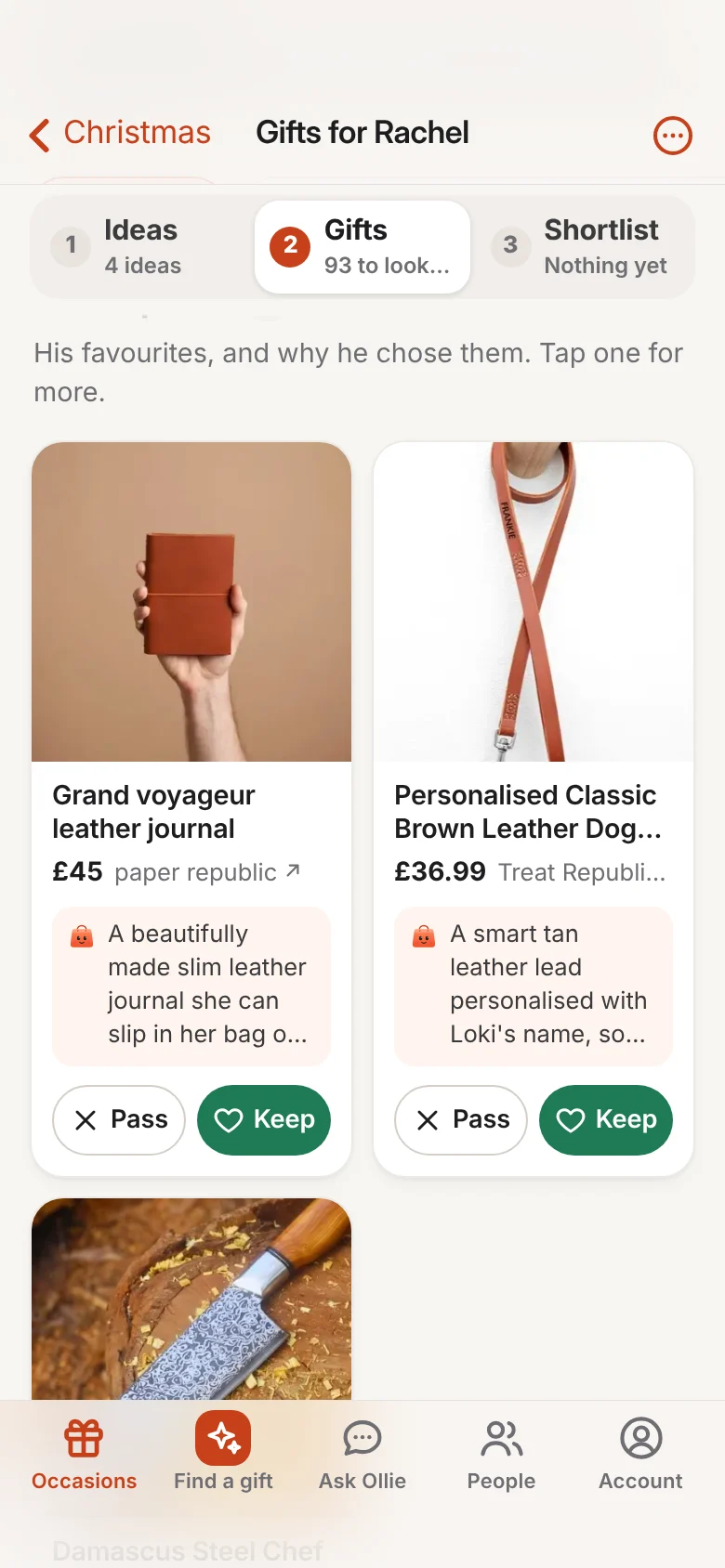
Step 2, Gifts. His favourites come first, two to a row, each with the reason it suits her. He even found a lead personalised with Loki's name.
-
Keep, pass, then buy
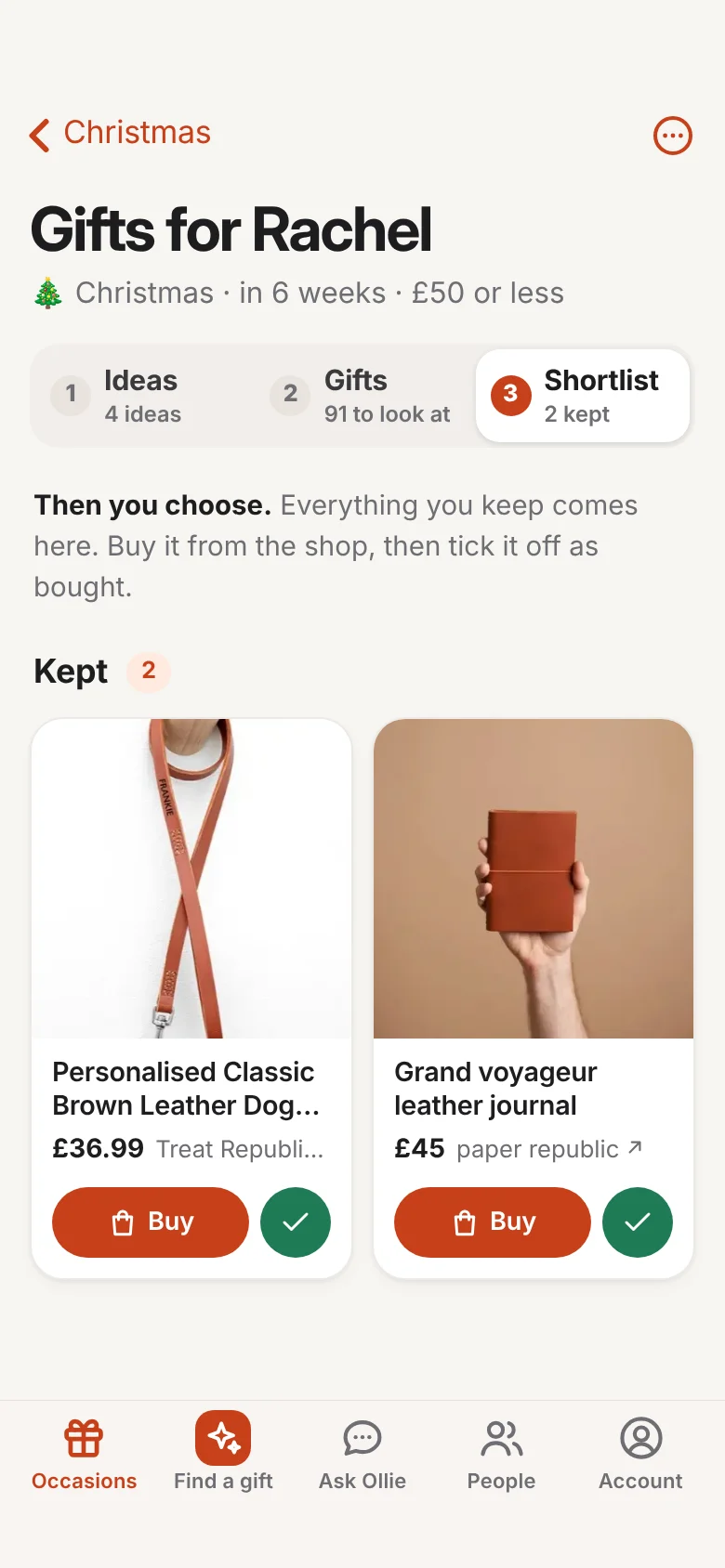
Step 3, Shortlist. Keep the ones you love and pass on the rest: every choice sharpens his next picks. Your keepers wait here, so buy straight from the shop, then tick it off.
How it works
One real search, start to finish.
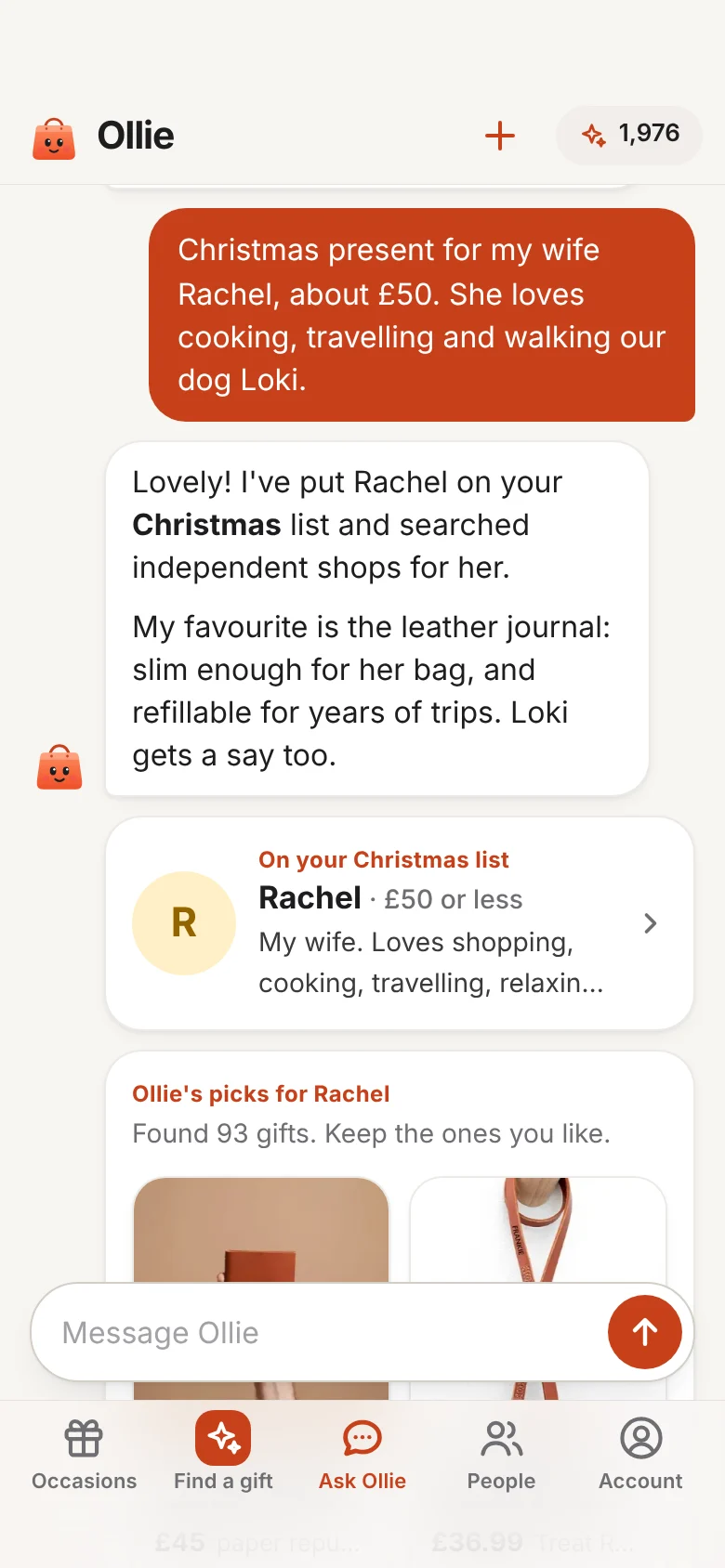
Rachel loves cooking, travelling and walking her dog, Loki. Here’s how Ollie found her Christmas present, on a phone, in a few minutes. Then try him yourself.
New: Ask Ollie
Or just tell him what you need.
Ask Ollie is a chat with Ollie himself. Say who you're shopping for in your own words, and he does the rest.
-
He makes your lists
“Christmas for Mum, Dad and my sister, about £40 each”, and he sets it all up.
-
He finds the gifts
His picks pop up in the chat. Keep or pass right there, or ask him about them.
-
He looks things up
Ask if a brand is any good: he searches the web and shows where he found it.
Chatting uses a fraction of a credit a message. Ollie only shows real products from his searches, and you still buy from the shop.
Try Ask OllieTry it
Pick someone. Watch Ollie think.
These are example picks, but it's exactly how Ollie works: he starts with the person, not a search box.
About them
Choose someone above, and Ollie will get to work.

Who are we shopping for today?
Ollie's ideas
Checking stock, prices and delivery…
Picks you can trust
Good taste, not guesswork.
Ollie follows the same careful steps every time, so you can say yes with confidence.
He listens first
Ollie starts with the person, not a keyword: what they love, what they're into lately, and what they'd never use.
Ideas before products
He works out what kind of thing would genuinely delight them, then goes shopping. That's how thoughtful people choose gifts.
Real, in-stock picks
Everything he suggests is available now, delivers to you and fits the budget you set. No dead ends.
Every pick explained
Each suggestion comes with the reason it suits them, so you can decide in seconds, not after an hour of reviews.
He remembers
Pass on something and he learns why. Buy something and he'll never suggest it again next year.
No paid placements
Nobody pays to appear in Ollie's picks, and shops can't buy their way in. He works for you. Simple as that.
Get the app
Skip the App Store.
Get Ollie in a minute.
Ollie installs straight from your browser, so there’s no store, no big download and no updates to remember. Create your free account, add him to your Home Screen, and he opens full screen like any other app.
 Ollie
On an iPhone or iPad
Tap Get the free app and create your account in Safari. It takes a minute.
Tap Share , then Add to Home Screen. In the newest Safari, Share is in the ⋯ menu.
Tap Add. Open Ollie from your Home Screen and log in once.
On an Android phone or tablet
Tap Get the free app and create your account in Chrome. It takes a minute.
Tap Chrome’s menu (the ⋮ at the top right), then Install app or Add to Home screen.
Tap Install. Ollie sits with your other apps, ready to open.
On a computer
Click Get the free app and create your account. It takes a minute.
In Chrome or Edge, click the install button at the right of the address bar. In Safari on a Mac, choose File, then Add to Dock.
Ollie opens in his own window. Or keep him in a browser tab: he works just the same.
Rather have him on your phone? Point its camera here to sign up there instead.
FAQ
Good questions.
Is Ollie an app? Do I need the App Store?
Ollie is an app, but you don’t need the App Store or Google Play to get him: he installs straight from your browser. Create your free account, then add him to your Home Screen. On an iPhone or iPad, tap Share in Safari, then Add to Home Screen; on Android, tap ⋮ in Chrome, then Install app. He opens full screen like any other app. On a computer, use him in your browser or install him from the address bar. See the steps.
Why isn’t Ollie in the App Store?
Because he doesn’t need to be. Adding an app to your Home Screen from the web is built into Safari and Chrome, and it’s as safe as visiting any website. It also means Ollie works on any phone, tablet or computer with one account, takes up hardly any storage and updates himself, so you’re always on the latest version.
What is Ollie?
Ollie is a personal shopping assistant powered by AI. Tell him about the people you're buying for and he finds great products from independent shops, explaining why each one would suit them. He's starting with gifts, and will help with the rest of your shopping soon.
Can I just chat with Ollie?
Yes. In the app’s Ask Ollie tab, tell him what you need in your own words, like “Christmas for Mum, Dad and my sister, about £40 each”. He makes the lists, adds everyone, runs the gift searches and shows his picks in the chat, where you can keep or pass on them. He can also search the web to look into a brand, and says where he found what he tells you. Chatting uses a fraction of a credit a message.
Do I buy things through Ollie?
No. When you find the one, Ollie takes you straight to the shop that sells it. You buy from them directly, with their own delivery and returns.
Where do Ollie's products come from?
Ollie searches thousands of independent shops and brands, and only suggests things that are in stock, deliver to you and fit your budget.
Does anyone pay to be recommended?
No. There are no ads or sponsored placements in Ollie's picks, and shops can't pay to be in them, so he works for you.
Which countries does Ollie work in?
The UK, Ireland, the US, Canada, Australia, New Zealand and much of Europe. Ollie only suggests products that ship to where you live.
Is my information private?
Your lists and notes are private to you. Ollie uses them to find you great products and for nothing else, and we never sell your data.
Let Ollie take the list this year.
Try him free with 100 credits, then it’s £2 a month or £20 a year. No card to start, and no App Store needed.